NurtureHub
BlogFAQFeaturesHow it worksIntegrationsPricingSecurityUse cases
Join the waitlist
NurtureHubJoin the waitlist
NurtureHub
HomeBlogFAQFeaturesHow it worksIntegrationsPricingSecurityUse cases
Join the waitlist

NurtureHub
BlogFAQFeaturesHow it worksIntegrationsPricingSecurityUse cases
TermsPrivacyData Processing

© 2026 NurtureHub

[ HOW IT WORKS / 30MIN TO LIVE ]

Assign a contact. AI writes the emails. You approve. Done.

NurtureHub does one thing exceptionally: it turns a category tag on a contact into a ready-to-send, agency-branded, three-email nurture sequence — without you writing a single word or building a single workflow.
See it in action
Book a demo
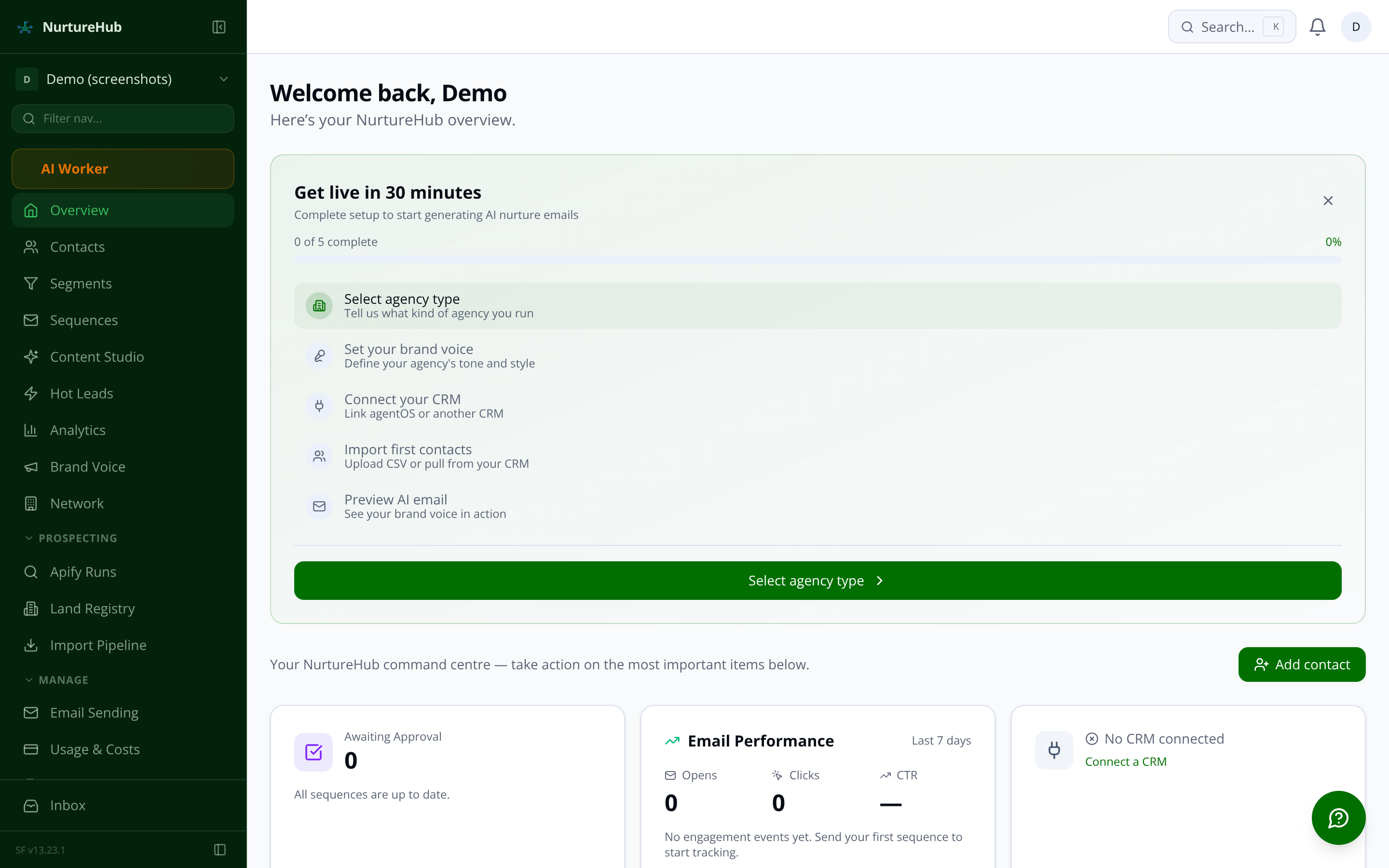
NurtureHub dashboard showing hot leads widget, sequences awaiting approval, and email performance summary
[ OVERVIEW / COMMAND CENTRE ]

Your whole pipeline, visible in one screen

The moment you log in, the dashboard shows you exactly where your leads stand: contacts crossing the hot threshold, sequences waiting for a 30-second review, and how your emails performed in the last seven days. No digging, no reporting — the urgent work surfaces to the top.

  • Top 3 hottest contacts ranked by live intent score

  • Sequences awaiting your approval — one click to send

  • 7-day open and click rate at a glance

  • CRM sync status so you always know data is current

[ THE FOUR STEPS / EVERY TIME ]

From a name in your CRM to a nurture sequence in under two minutes

  1. STEP 01 — IMPORT & CATEGORISE

    A contact lands in NurtureHub

    Contacts arrive via your connected CRM (agentOS, Reapit, Alto, Street, or Loop), a CSV upload, or your website's live chat widget. You assign one of twelve predefined categories — Seller, Landlord, Buy-to-Let Investor, Active Tenant, and eight more. That single action is all NurtureHub needs to begin.

  2. STEP 02 — AI SEQUENCE GENERATION

    The AI writes three personalised emails in your voice

    The Journey Architect agent selects the correct template (36 pre-built across 12 categories and 3 journey types) and hands off to the Content Writer agent. It generates all three emails — acknowledge and value, build and educate, activate and convert — using your approved brand profile, the contact's details, and the category's specific context. No prompt engineering required from you.

  3. STEP 03 — REVIEW & APPROVE

    You review, edit if you want, then approve

    The sequence lands in your review queue. You see each email rendered exactly as the recipient will — subject, preview text, full HTML body. Edit inline, ask the AI to regenerate a single email with a note ('make it shorter', 'add the free valuation offer'), or approve the whole sequence in one click. Nothing sends without your sign-off.

  4. STEP 04 — TRACK & ACT

    Real-time intent scoring tells you when to call

    Each email carries open-tracking and click-tracking. Every engagement feeds the live intent score — open (+5), link click (+15), booking link click (+30), reply (+25). When a contact crosses your hot threshold, you get an immediate alert: their name, score breakdown, and a direct link to their profile. The right moment to pick up the phone, surfaced automatically.

console
0.1scontact.import → source: agentOS
0.3scategory.assign → 'Buy-to-Let Investor'
0.8sJourney Architect triggered ✓
0.2sbrand_profile.load → tone: 'warm-professional'
0.9scontent_writer.generate → 3 emails drafted
1.4ssequence.status → awaiting_approval
0.0sagent.review → /dashboard/sequences
0.5semail[2].regenerate → 'add urgency'
1.1ssequence.approve → scheduled ✓
0.3sengagement.event → link_clicked (+15)
0.7sintent_score → 87 / threshold: 85
1.0shot_lead_alert.fire → agent notified ✓
JOURNEY ARCHITECTcontact assigned → Landlord category → sequence generation triggered0.2s
CONTENT WRITERbrand profile loaded → 3-email draft complete → awaiting review1.4s
INTENT SCORERemail.opened → +5pts → contact score: 62 / warm threshold crossed0.3s
HOT LEAD ALERTcontact: J. Morrison → score 88 → alert dispatched to Sarah T.0.1s
COMPLIANCE GUARDIANpre-send consent check → GDPR verified → send approved0.0s
CRM SYNCagentOS → 14 contacts updated → 2 new → no conflicts4h
DATABASE REACTIVATORdormant scan → 90d inactive contacts → re-engagement journeys queueddaily
JOURNEY ARCHITECTcontact assigned → Landlord category → sequence generation triggered0.2s
CONTENT WRITERbrand profile loaded → 3-email draft complete → awaiting review1.4s
INTENT SCORERemail.opened → +5pts → contact score: 62 / warm threshold crossed0.3s
HOT LEAD ALERTcontact: J. Morrison → score 88 → alert dispatched to Sarah T.0.1s
COMPLIANCE GUARDIANpre-send consent check → GDPR verified → send approved0.0s
CRM SYNCagentOS → 14 contacts updated → 2 new → no conflicts4h
DATABASE REACTIVATORdormant scan → 90d inactive contacts → re-engagement journeys queueddaily
JOURNEY ARCHITECTcontact assigned → Landlord category → sequence generation triggered0.2s
CONTENT WRITERbrand profile loaded → 3-email draft complete → awaiting review1.4s
INTENT SCORERemail.opened → +5pts → contact score: 62 / warm threshold crossed0.3s
HOT LEAD ALERTcontact: J. Morrison → score 88 → alert dispatched to Sarah T.0.1s
COMPLIANCE GUARDIANpre-send consent check → GDPR verified → send approved0.0s
CRM SYNCagentOS → 14 contacts updated → 2 new → no conflicts4h
DATABASE REACTIVATORdormant scan → 90d inactive contacts → re-engagement journeys queueddaily
JOURNEY ARCHITECTcontact assigned → Landlord category → sequence generation triggered0.2s
CONTENT WRITERbrand profile loaded → 3-email draft complete → awaiting review1.4s
INTENT SCORERemail.opened → +5pts → contact score: 62 / warm threshold crossed0.3s
HOT LEAD ALERTcontact: J. Morrison → score 88 → alert dispatched to Sarah T.0.1s
COMPLIANCE GUARDIANpre-send consent check → GDPR verified → send approved0.0s
CRM SYNCagentOS → 14 contacts updated → 2 new → no conflicts4h
DATABASE REACTIVATORdormant scan → 90d inactive contacts → re-engagement journeys queueddaily

See the full pipeline running on your contacts

Join the waitlist and be among the first UK agencies to go live. Any questions before then, email us at sf-core-org-support-nurturehub@saas-factory.ai

[ STEP 02 DETAIL / BRAND VOICE ]

The AI learns your agency's voice before it writes a single word

During onboarding, NurtureHub crawls your agency website and extracts your tone, area coverage, team profiles, and market context automatically. You can supplement it with uploaded PDFs — brochures, service guides, team bios — for a richer profile. Every email generated from that point forward inherits your brand voice without manual prompting.

  • Website crawl Homepage, about, services, team, and area pages extracted in minutes

  • Document upload PDFs and Word docs supplement the crawl for richer brand context

  • Persona profiles Individual negotiator tone, sign-off style, and bio stored per agent

[ STEP 03 DETAIL / REVIEW QUEUE ]

The human-in-the-loop step — intentionally simple

Nothing sends without your approval. The sequences page shows every draft waiting for review — rendered exactly as the recipient sees it, with a spam score check and mobile/desktop preview toggle.
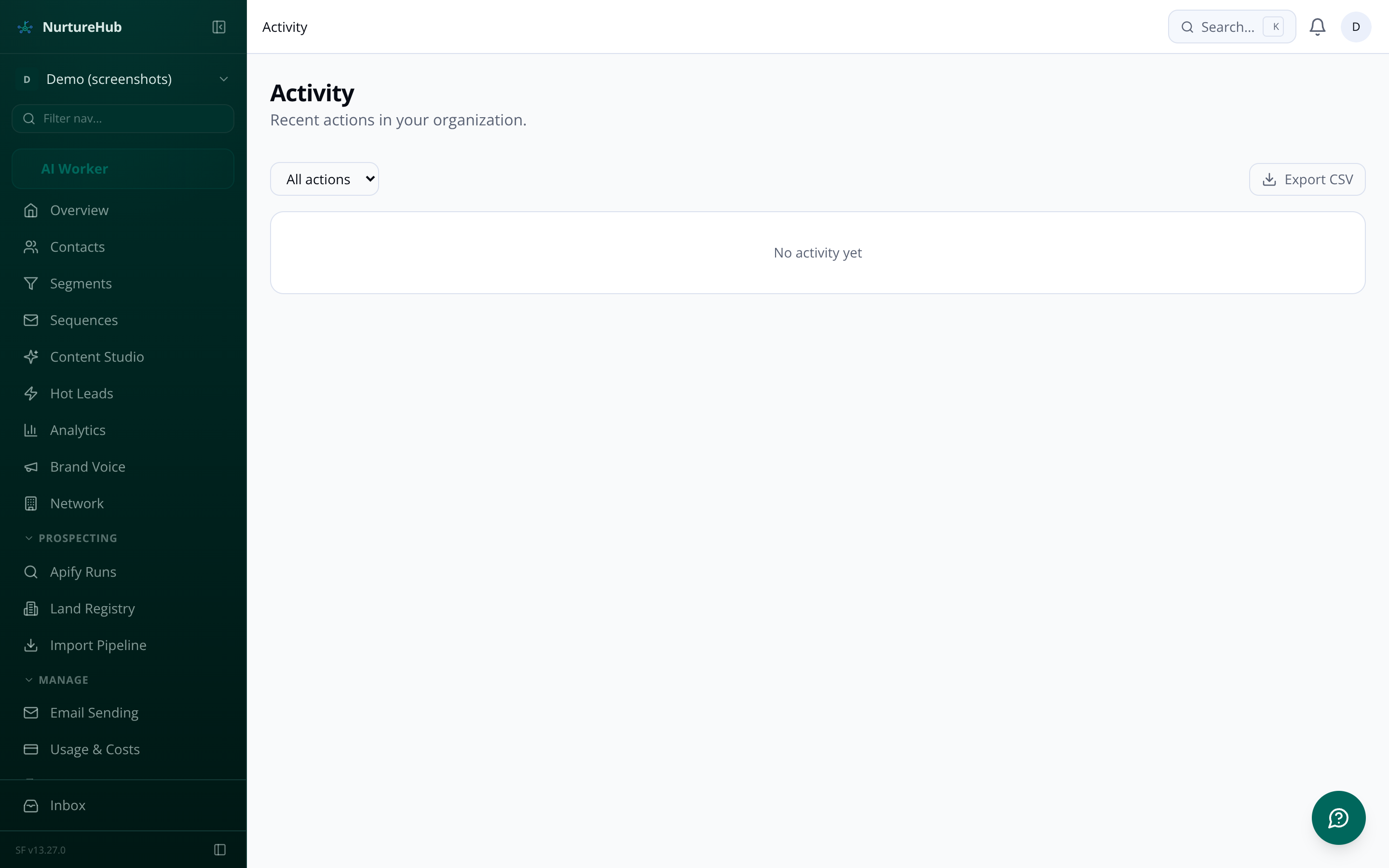
NurtureHub activity timeline showing email sequences, engagement events and contact touchpoints in chronological order
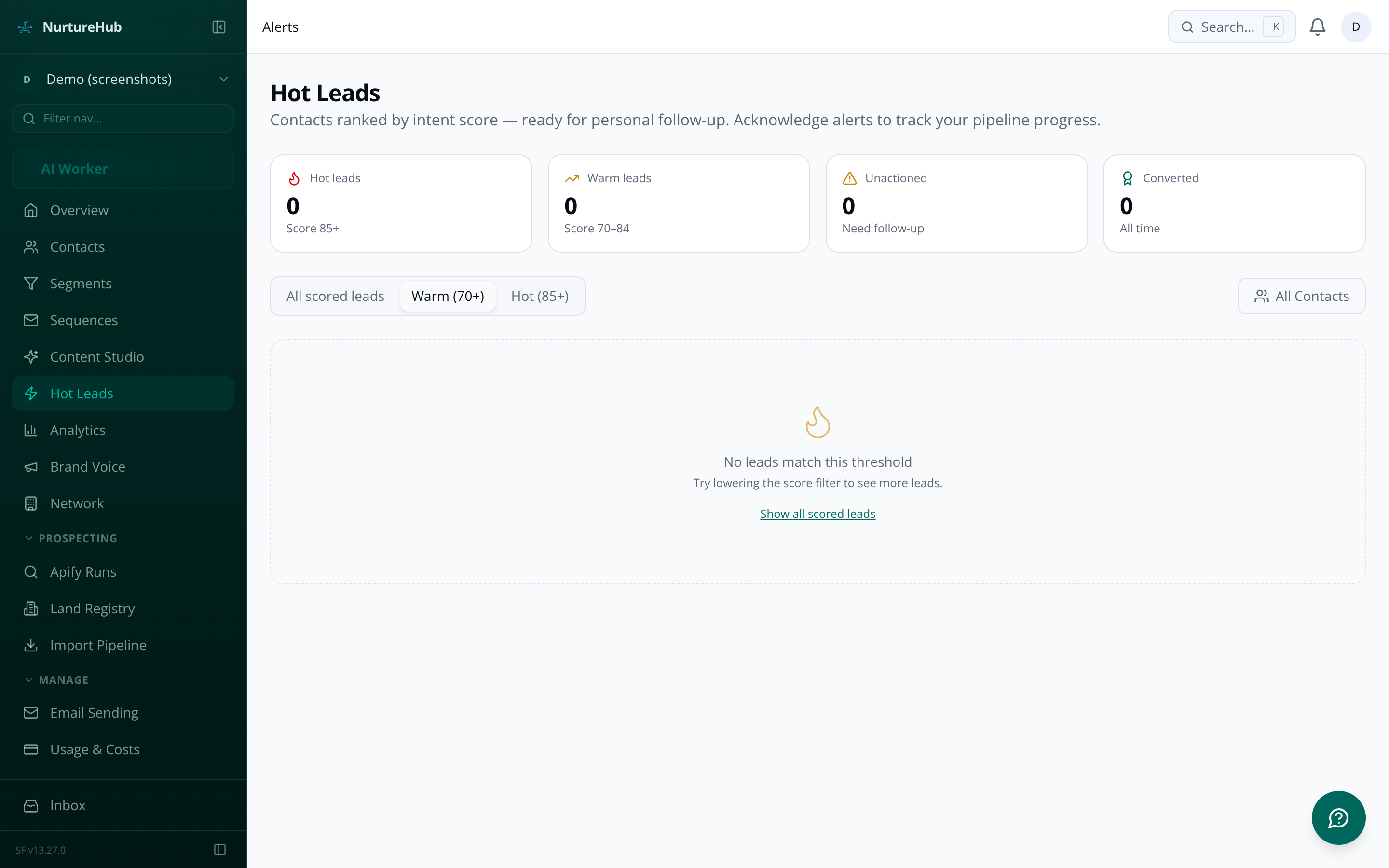
NurtureHub hot lead alerts page showing contacts above the intent threshold with score breakdowns
[ STEP 04 DETAIL / HOT LEADS ]

The alert that tells you exactly when to call

When a contact crosses your configurable hot threshold, NurtureHub fires an immediate alert — in-app and by email — with the contact's name, category, score breakdown, and a direct link to their profile. The alert shows which specific actions pushed them over the line: three email opens, a click on the valuation link, a reply.

[ ANALYTICS / CLOSED LOOP ]

Close the loop: from email send to instruction won

The analytics dashboard ties every email open and link click back to the CRM outcomes that matter — valuations booked, instructions won, tenancies agreed. Multi-touch attribution shows which emails in the sequence actually moved the contact forward, so you refine the sequences that work and retire the ones that don't.

  • Open and click rate trends 7, 30, and 90-day line charts per sequence and per category

  • Conversion funnel by category Contacts → engaged → hot leads → outcomes, per lead type

  • ROI attribution Revenue attributed per journey type and per email position

[ ONBOARDING / LIVE IN 30 MINUTES ]

What getting started actually looks like

01

Connect your CRM

agentOS connects natively. Reapit, Alto, Street, and Loop connect via the open CRM framework. Or start with a CSV upload.

02

Set up your brand voice

Enter your website URL. The AI crawls it and drafts your full brand profile — tone, market context, team personas — in minutes. Review and approve.

03

Categorise your first contact

[ FAQ / COMMON QUESTIONS ]

Questions agents ask before going live

Re-run anytime Re-crawl after a rebrand and all future sequences update accordingly
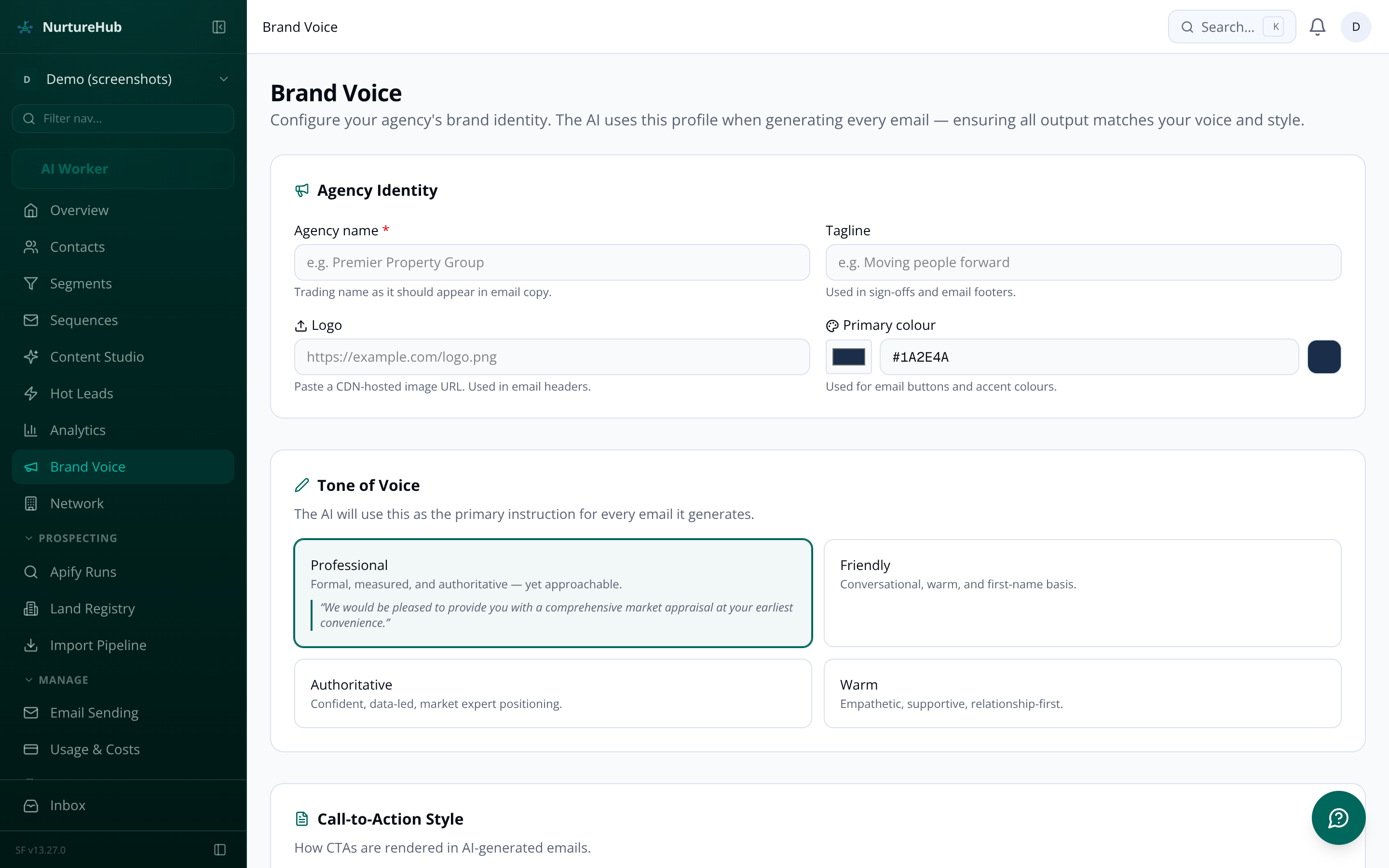
NurtureHub brand voice configuration screen showing tone selector, agency overview and persona profiles

Pixel-perfect preview

Rendered HTML with mobile and desktop toggle — see what the contact sees before you approve.

One-click regenerate

Not quite right? Add a note ('make it punchier') and the AI rewrites just that email, keeping everything else.

Approve all in one action

When it reads well, hit Approve All. The sequence is queued, timed, and delivered — you're done.

  • Configurable warm (default 70) and hot (default 85) thresholds

  • Score breakdown per event so you know what drove the spike

  • Category-weighted scoring — Active Sellers score 1.5× faster

  • Score decay keeps the list current: old activity fades automatically

  • Alert suppression prevents duplicate pings within 24 hours

CSV export Every metric exportable for your own reporting
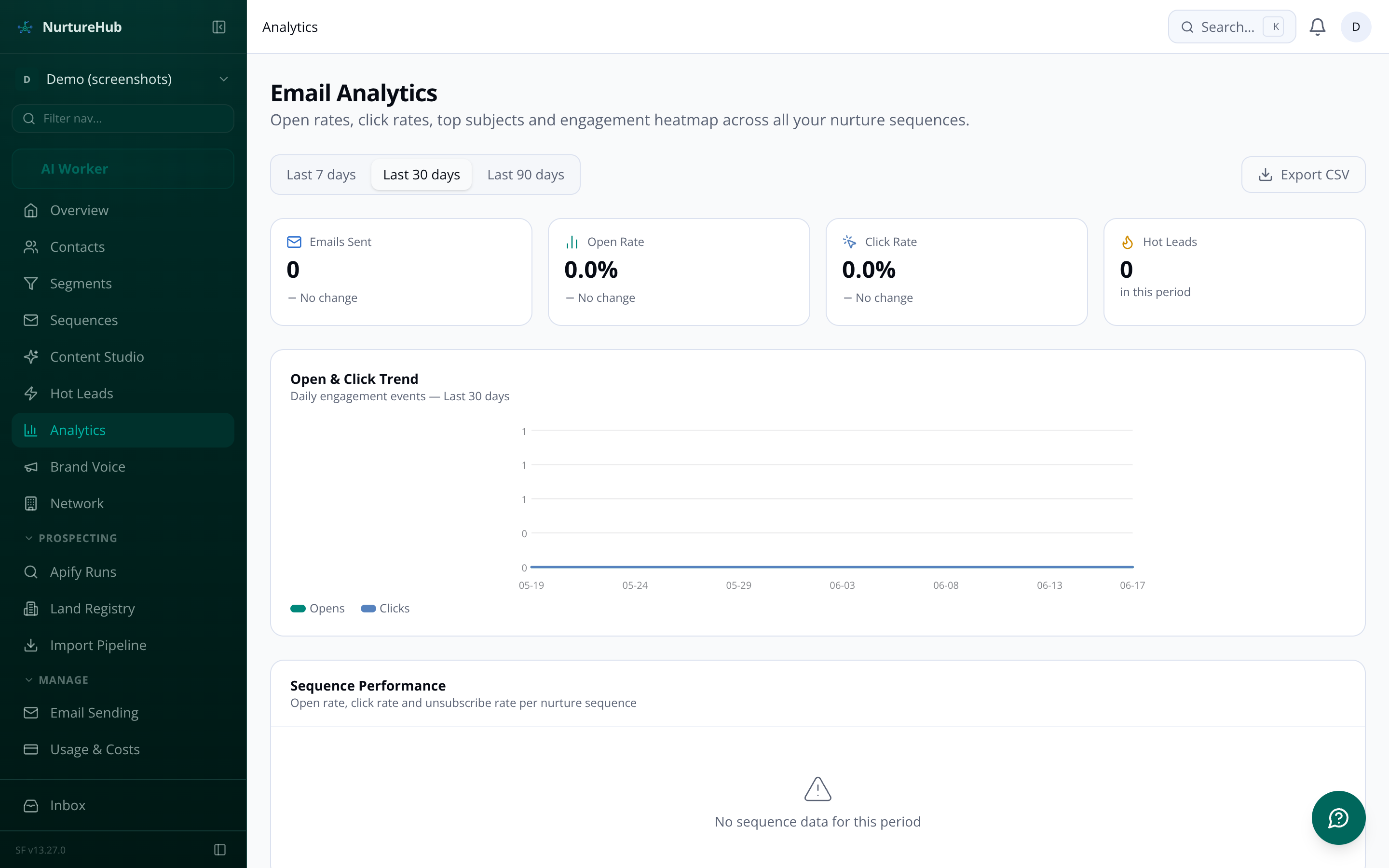
NurtureHub analytics dashboard showing open rate trends, per-category performance and conversion metrics
Pick a contact, assign a category, and watch the AI generate a three-email sequence in your brand voice. The whole pipeline fires automatically.
04

Approve and go live

Review the three emails, approve the sequence, and your first nurture campaign is live — typically within 30 minutes of signing up.

A human always approves before anything goes out. When you assign a contact to one of the 12 lead categories, NurtureHub's AI generates a personalised 3-email sequence and places it in a review queue. You read each email in a rendered preview, edit inline if you want, and approve — either email by email or the whole sequence at once. Only after you click approve does the send queue pick it up. No email leaves your agency without a person signing off on it.
No prompt-writing required. During setup, you submit your agency website URL and NurtureHub crawls your homepage, about page, services, team, and area pages, then extracts your tone, service descriptions, local market context, and team profiles automatically. You can supplement that with uploaded PDFs or Word documents — brochures, service guides, team bios. The AI builds a structured brand profile from all of it, you review and edit it in a section-by-section UI, and once you approve it, every email generated from that point forward inherits your voice. You can re-run the crawl any time your website changes.
NurtureHub has a native connector for agentOS with bidirectional real-time sync, plus connectors for Reapit, Alto, Street, and Loop via their respective APIs. Each integration polls for changes every 4 hours via a scheduled background job, and agentOS also supports real-time webhook push for instant updates. Contacts imported from any CRM retain their external ID so changes stay in step. You can also trigger an on-demand sync manually from the integrations page. The integrations dashboard shows sync health (green/amber/red), last sync timestamp, recent errors, and a retry option — and the agency owner gets an alert if a sync fails three times running.
Every engagement event a contact has with your emails feeds a rolling 0–100 intent score: an open adds 5 points, a link click adds 15, clicking a booking link adds 30, and a reply adds 25. Scores are multiplied by a category weight — Active Sellers score 1.5x, Sellers 1.3x, Buy-to-Let Investors 1.2x — so the system prioritises the contact types most likely to convert for you. Scores decay over time for inactive contacts. When a contact crosses your configured hot threshold (default 85), your assigned agent gets an immediate in-app notification and an email alert with the contact's name, category, score breakdown, and a direct link to their profile. You set the thresholds yourself, and a score simulator lets you model how a hypothetical engagement sequence would score before you change any settings.
Before every email send, a Compliance Guardian agent checks GDPR consent status, validates marketing opt-ins for the specific channel, cross-references suppression lists, and confirms the contact hasn't unsubscribed. If any check fails, the send is blocked and you're told exactly why. Every send decision is written to a compliance audit log. Every email includes a one-click unsubscribe link; unsubscribes are stored in a suppression list and sequences pause automatically. Contacts can also request erasure, which anonymises their data and suppresses future contact. Consent records show when and how consent was obtained, and the full audit trail is visible on each contact's profile. For questions about Data Processing Agreements with the underlying services NurtureHub uses, details are available on request.
Each branch runs as its own sub-organisation with its own brand profile, agent personas, contact database, and journey configuration. Emails from your Kensington office carry Kensington's voice; emails from Chelsea carry Chelsea's. Billing sits under a single Agency Pro subscription, and a parent-level admin account gives you cross-branch analytics and shared template management in one view. Branch admins manage their own office; the network admin sees everything. Cross-branch contact deduplication runs automatically so the same individual doesn't get contacted by two offices simultaneously.